
We are thrilled to announce the official release of HttpGemini, a new plugin for Unreal Engine 5.5 and 5.6. This plugin provides a simple, efficient, and powerful way to integrate Google’s Gemini AI directly into your projects.
Why We Built HttpGemini
Integrating AI APIs into game development can be a complex and time-consuming process, often requiring extensive C++ coding. Our goal was to eliminate this complexity entirely. We wanted a tool that would empower developers to leverage the capabilities of generative AI without ever leaving the Blueprint editor.

The Solution: Ultimate Simplicity
HttpGemini streamlines the entire integration process down to a single Blueprint node. Simply install the plugin, enter your API key in the Project Settings, and use the Send Chat Message (Gemini) node anywhere in your project.
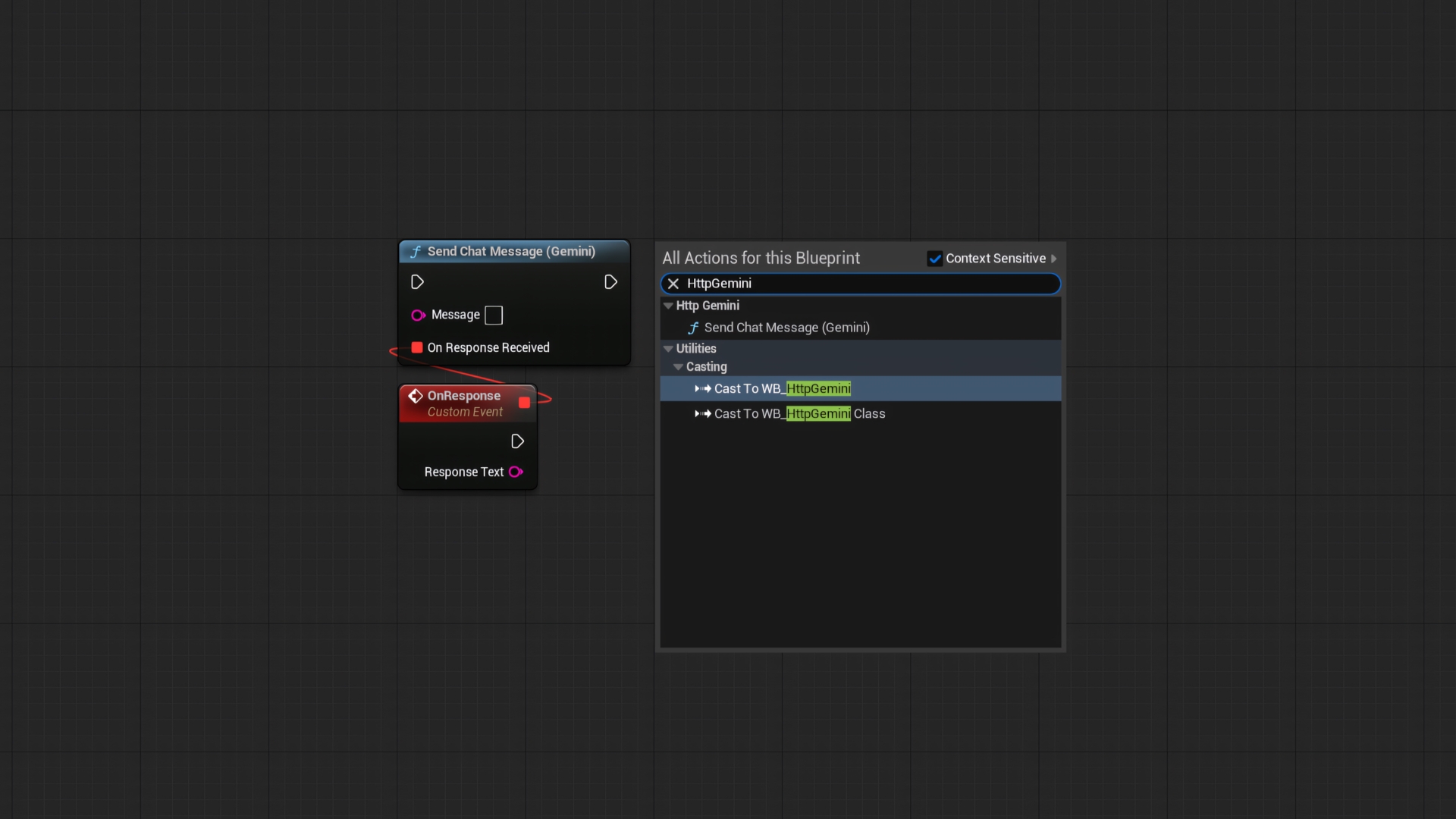
Key Features:
- Effortless Setup: Just enter your API key and you’re ready to go.
- Simple to Use: The entire functionality is exposed through one easy-to-use Blueprint node.
- Asynchronous by Design: API requests are non-blocking and will never cause your game to freeze or drop frames.
- Multi-Platform Support: Fully compatible with **Win64** and **Android** platforms.
- Lightweight & Efficient: Built to have a minimal performance footprint on your project.
Get Started Now
Ready to bring intelligent AI to your project? Here’s everything you need:
- Step 1: Get the Plugin. You can download HttpGemini from the FAB Marketplace today.
- Step 2: Get Your API Key. To use the plugin, you’ll need a free Gemini API key. We’ve created a 1-minute guide to help you get one right now.
- Step 3: Read the Docs. For more detailed information and setup guides, be sure to check out the official documentation.
realy cool! does it handle async requests in heavy scenes?
Great question! Absolutely. The plugin is designed from the ground up to be asynchronous. All API calls are non-blocking, meaning they won’t halt the game thread. This ensures your game remains smooth and responsive, even in heavy scenes. It’s also extremely lightweight.